
Crew coordination
How to keep a daily landscaping job log from your phone
Keep dated notes about completed work, changes, and follow-ups under the right landscaping job in JobLit.
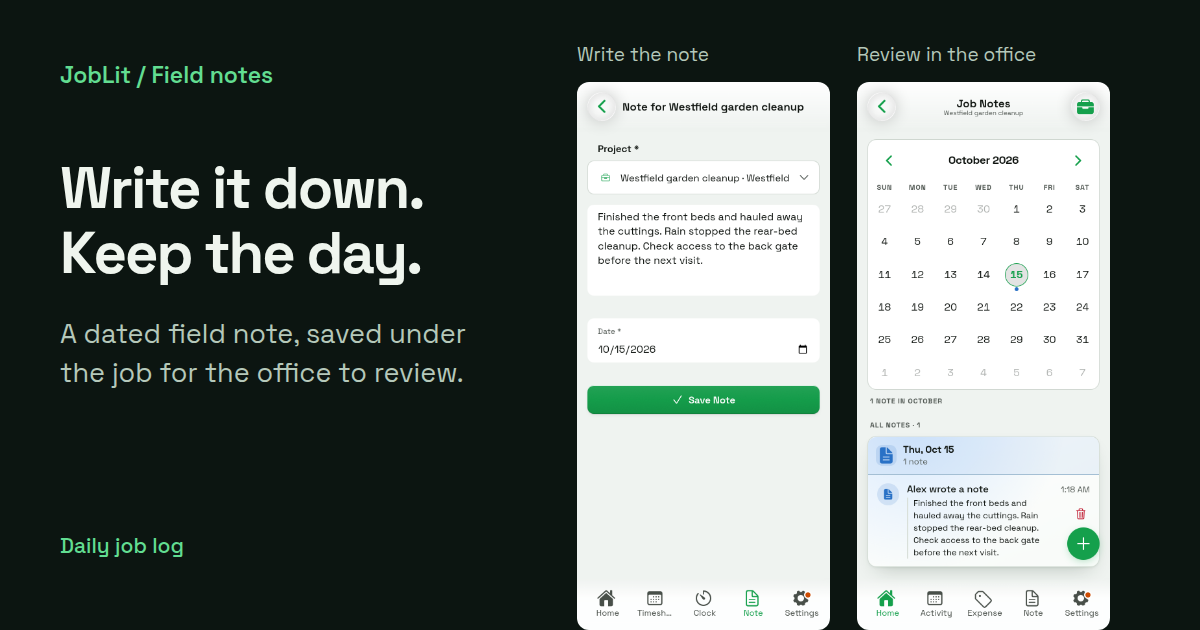
Keep a daily landscaping job log by saving a short note under the job and the date the work happened. Record what got done, what changed, and what needs attention next. In JobLit, employees can write notes on their phones and review their own entries; owners and admins can review the crew's notes together.
A note is most useful while the details are fresh. Before moving to the next property or finishing the day, write enough that the office can understand what happened without asking you to remember it on Friday.
Give each daily note three useful details
You do not need a long report. Start with these three prompts:
- Completed: What work did you finish, and where?
- Changed: Did weather, access, materials, or a customer request change the plan?
- Next: What needs a decision or follow-up before the next visit?
“Worked on garden” leaves the next person guessing. A specific note gives them something they can act on:
That example names the completed work, explains what stopped, and identifies the next check. Write observations clearly. If a customer asked for extra work, record the request and have the office confirm it before treating it as an approved change.
Save the note under the right job and date
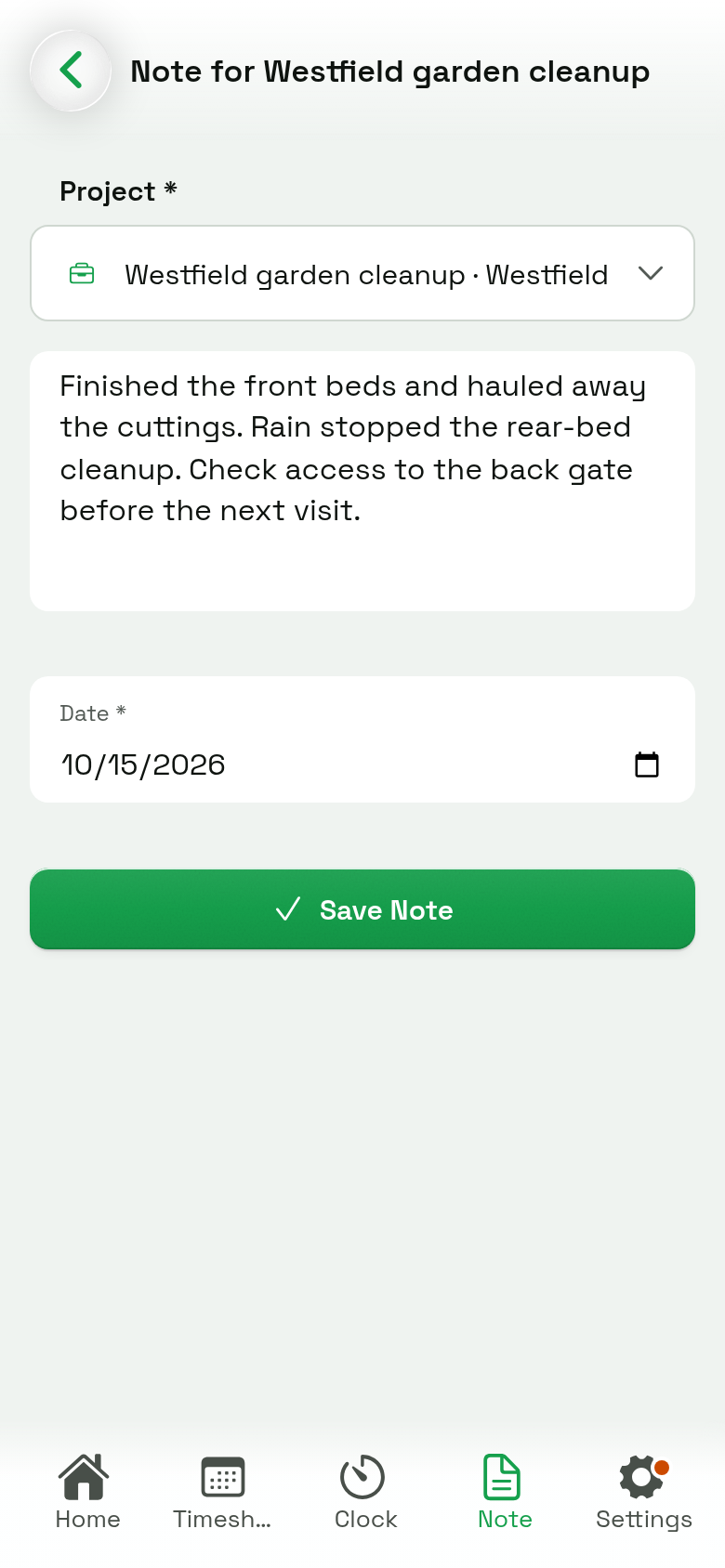
For an employee using JobLit, the flow is:
- Open the Note tab.
- Confirm the job. An open shift may preselect it, so check the name before writing.
- Check the Date. Use the date the work happened, particularly if you are catching up on yesterday's entry.
- Write your update in What got done today.
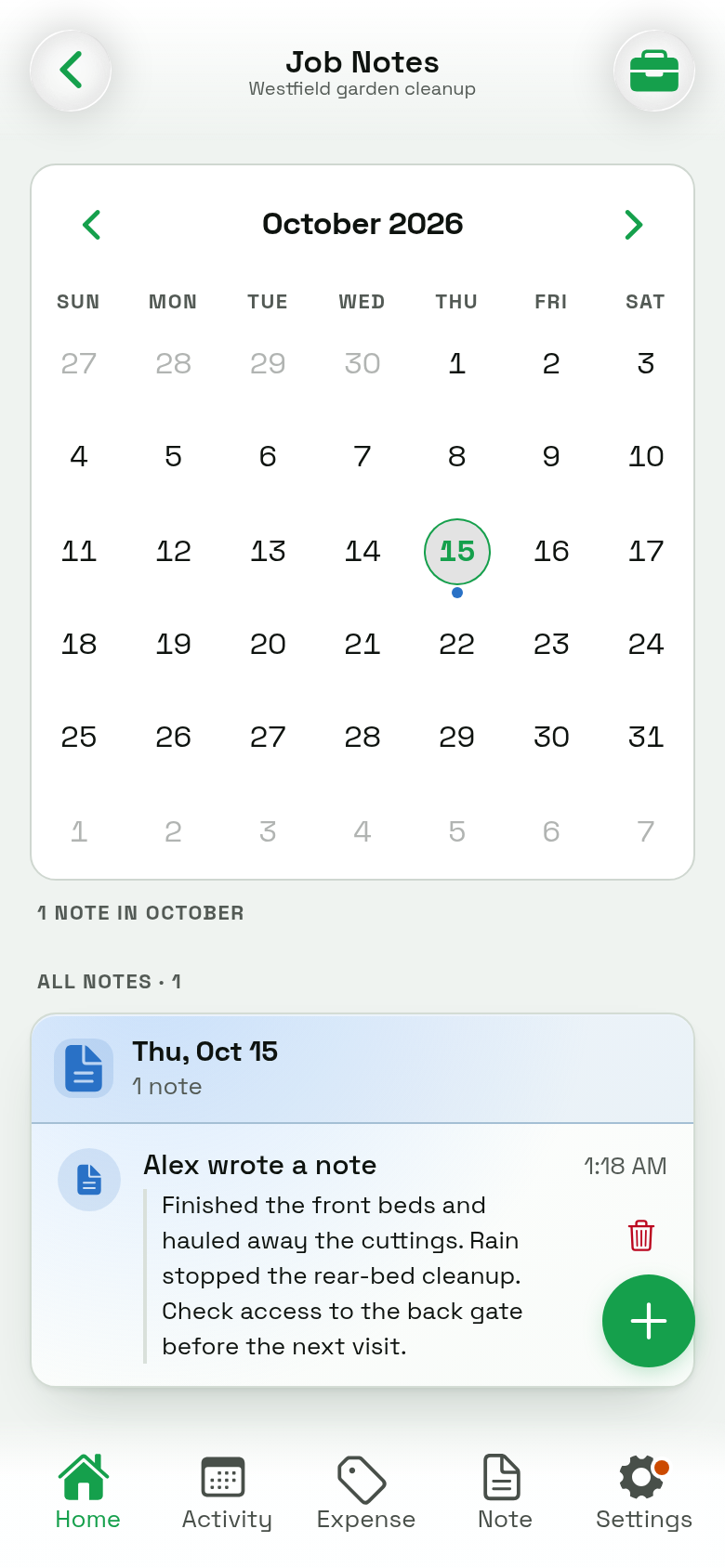
- Select Save Note and check the saved entry. You can review your entries in My Notes.
If you work at more than one property in a day, give each job its own note. Avoid putting the afternoon's work under the morning's job just because it was already selected.
Know who can read the job log
Owners and admins can review the crew's entries through the job's Job Log and Job Notes. The author and date help them understand who recorded the work and when it happened.
Employees see their own daily notes. Daily notes are therefore useful for reporting work to the office; they are not a conversation that every employee can read.
When a discussion belongs to a particular assigned task, put the follow-up in that task's Updates. People who can see the task can follow its updates. A general end-of-day record and a task-specific update answer different questions, even when they describe the same job.
Use the workflow that fits your crew
An owner working alone can keep their own job notes. For employees to sign in and submit notes, the workspace needs a plan with crew access; see current plans. A managed employee without sign-in access cannot enter a note from their phone.
Start with a small routine: confirm the job, write a few concrete sentences, and save before leaving. The aim is a record the office can use tomorrow, while today's details are still easy to recall.